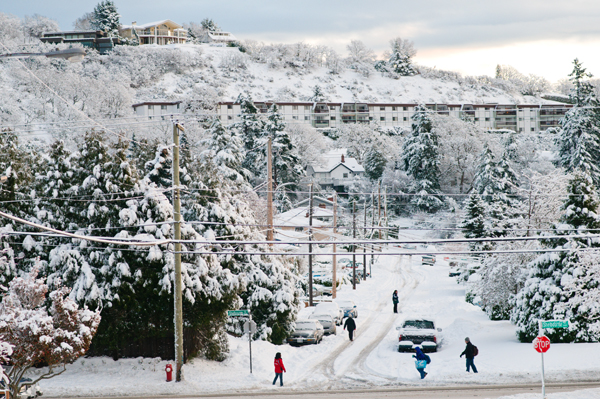
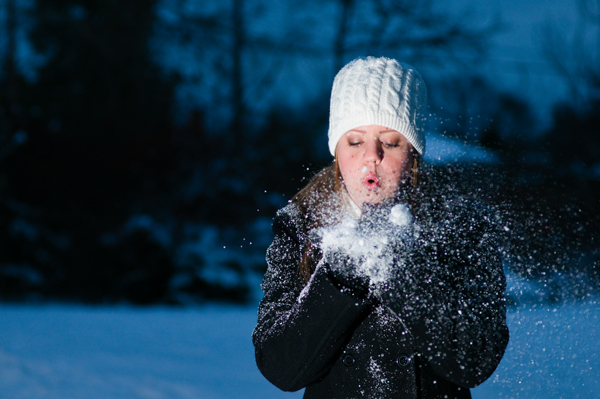
Winter can be a challenging time to take photos, the days are short weather is often less than ideal and it can be cold. If you are able to get past these slight challenges then it can be a very rewarding time of year tomake pictures.
1. Dress for the weather
This is the most important thing. Make sure you dress for the weather, and remeber to use layers as the tempature can change a fair bit durring the day. A warm hat and gloves you can use when you are not taking pictures is a must have and a light pair of gloves or fingerless gloves can be great to use while using your camera. A good set of boots is also a good idea even not in the winter. Boots that are lined with gore-tex or something simular is great as your feet will stay nice and dry.
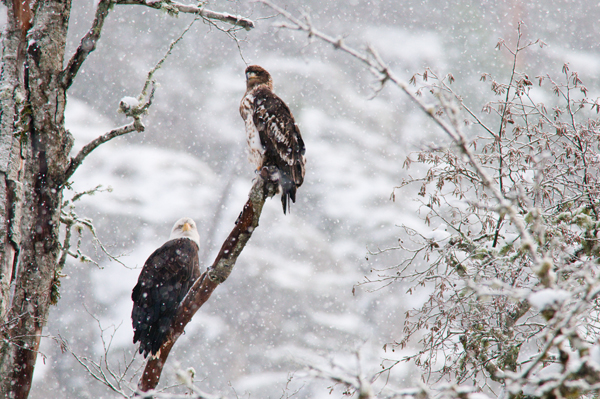
2. Keep your camera cold
This may sound odd but if it warm you will end up fogging up your lens etc. This is more important from when you are coming in from the cold. The best way to avoid condensation is to put your camera in your camera bag and zip it up before you come back inside. Let your camera come up to temperature slowly and you should avoid these problems. The down side to keep your camera cold is that it will drain your batteries faster depending on how cold it is so keep this in mind. Make sure you have a good charge or bring spare batteries for your camera speed lights etc. If you are bring spare batteries you may consider keeping them in your pocket instead of your bag so they will stay warmer.
3. Compensate your exposure
When shooting in bright conditions such as bright white snow or ice your cameras meter will be tricked by the extra light that is being reflected from the snow and ice. A good rule of thumb is to “overexpose” by 1-2 stops or use exposure compensation or your photos will come out underexposed. It is also a good idea to check your exposure on your histogram and your LCD to give you an idea if you are at least close to having the desired exposure.
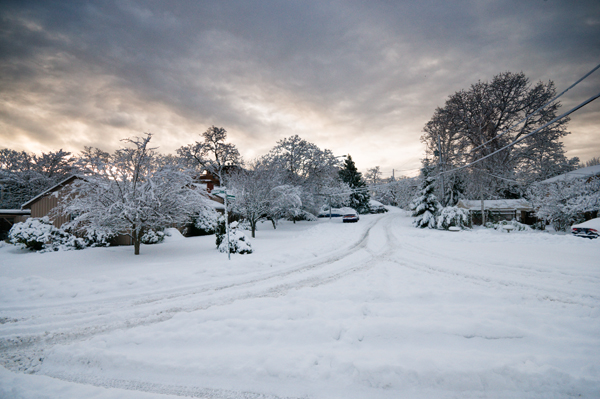
4. Bad weather
There is a good chance that you will be out in rain,wind, snow or some combination of nasty weather conditions. Although these conditions are not always pleasant to be out in they can often lead to interesting photos and create a unique or dramatic mood. Once again if you are dressed for the conditions it will really minimize your misery in these conditions. Another up side is that these conditions will most likely be few people out to get in your way and you should end up with some pictures not many other people have.
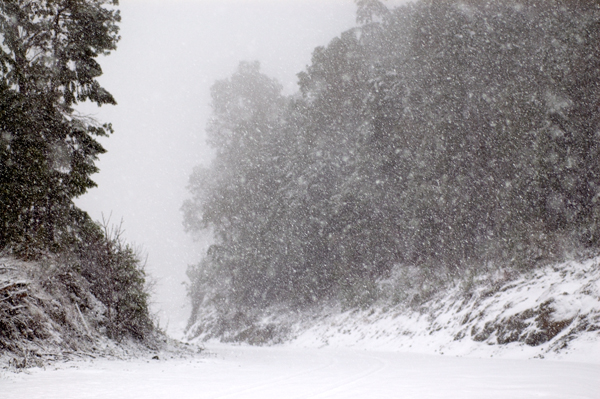
5. Have fun and try something new
Winter is a fantastic season if you ready for it and know what to expect you care really enjoy it. Just like any other situation you may find your self in while taking photos try to make the best of the situation and try to do something creative. Most of all enjoy it and have fun.
Tags: snow, tips, winter
Posted in Flickr, How to, camera, landscape, nature, photo, tips | No Comments »
Generally every year (or the past year or so) I have been making calendars as gifts for people of my photos. Lat year I used the Staples Print & Copy centre, I had a few issues with uploading and ended up with more than what I ordered, not really a problem I was able to sell them. So last night I start to do the same thing I did last year, upload each of the photos individually which took about 40 minutes with the terrible interface they make you use, fill in all my info select the store to pick it up at and I am greeted by a nice descriptive error page.

Well I did try again, a few times but the same thing. I sent an email to Staples with the “feedback” link but I doubt I will hear anything back. Today I phoned the my local store that I was to pick it up at and they said they had to phone the store they print it off at and give me a call back, fair enough. Well I waited 4 hours and nothing so I phoned again and I would get a call in 10-20 minutes. I did not, in this time I decide I am going to try the Future Shop print service, and it seems much better. A good interface, ships to your house, more options, cheaper, quicker to print and cheaper. I hope the quality is good I will wait and see. By the time I was paying for my calendar ordered at Future Shop Staples calls and says they won’t know if my order has gone though and said I should wait the 3 days until they find out if it did for me to find out. I told them that I will not be using them again and I would suggest that you do not ether. That is my rant, have a great day
.
Update: I later found out every time I “tried again” it placed another order
I never paid or did anything with staples and used futureshop, the quality was decent and it was a much more polished package.
Tags: future shop, prints, service, staples
Posted in internet, photo, tips, web | No Comments »
Last night I got back from Victoria and wanted to start editing my pictures I had taken over the past few days, I do all of my RAW conversions and save all of my images as JPG. Now the fun starts, I want to resize some of the images to paste up on Flickr and when I try to open my images all I get is an error message telling me I do not have enough RAM (I have plenty). I do a quick Google search and see it is a semi common problem. It may be a common problem but there is no common fix. I tried deleting my preference and settings files to no luck. After this I try to reinstall this does not work. After a little more searching I see it may be printer related (how I don’t know) and at this point I will try anything. I had recently moved my local USB printer to a networked printer but the default printer was still the local one. Photoshop does not seem to like this. After removing all of my printers it works! So if you get a message saying “Could not complete your request because there is not enough memory (RAM)” or something similar try removing or ensuring your printers are working! Oh and I am using Vista Business and Photoshop CS3.
Tags: Vista
Posted in microsoft, photoshop, tech, tips | No Comments »
Here is a really simple way of adding a extra layer of protection to a web interface that allows you to remove or delete files, articles etc. It is very easy to use and can save you from some real headaches. It is a very basic JavaScript function.
<a href=”delete.php?id=fileid” title=”‘filetitle’” onclick=”return confirm(\’Confirm delete of ‘filename’?\’)”>Delete</a>

This will create a prompt that comes up with “OK” or “Cancel”. This can easily be added to your site to give you an extra layer of protection against accidentally deleting your important files.
Posted in JavaScript, tech, tips, web | 2 Comments »
Ever had something in a photo that ruined it? I am sure you have, we all have. I generally don’t remove/add things to my photos with photoshop but some times it can really save an image. For example this was a picture from the other weekend that was ruined by a red rope running though it. To remove this I used the patch tool in photoshop to surround the rope and then dragged on a selection from bellow and it blends it very well. Obviously this will not work for every image but it can save some!
Before:

After:

Posted in photo, photoshop, tips | No Comments »